
Easy to automate
With a single robot cell, a wide range of operations can be performed, from high-precision tasks such as placing electronic components on panels, to transferring parts to trays that feed dedicated machines, and separating, assembling, and dispensing parts.
What is the SmartWing BA?
It is an all-in-one machine that can assemble boards, transfer trays, and dispense parts.
With a single robot cell, a wide range of operations can be performed, from high-precision tasks such as placing electronic components on panels, to transferring parts to trays that feed dedicated machines, and separating, assembling, and dispensing parts. The various units and image processing systems are highly versatile, so they can be used as they are without the need for custom designs. This greatly reduces design, assembly, and other startup costs, enabling a low-cost transition.
Three SmartWing BA features
1. No repackaging required. Parts can be supplied as they are.
Highly versatile feeding units and image processing system
Conventional dedicated machines, such as inserters, require parts to be repackaged into special trays during the supply process. With the SmartWing BA, parts can be supplied in their original packaging by using Robot Cell Kits such as loose workpiece feeders and the tray handling unit, together with the highly versatile image processing system developed by Fuji.
2. Combine units flexibly. Configure the optimal system.
A wide variety of units is available
The SmartWing BA is the ideal solution for those who want to automate placement processes but cannot make a large-scale investment at the outset. The SmartWing BA lets you add Robot Cell Kits freely, so you can add extra functions with small investments while verifying the effectiveness of the system. In addition, Robot Cell Kits are offered in a versatile and cost-effective product range to flexibly handle a variety of tasks.
3. Easy for anyone to start production.
No teaching required. No expertise needed.
Using powerful tools equipped as standard, it is possible to create production jobs and shape data easily, without requiring special skills or experience. Product types can be added or changed simply by adding production jobs and shape data, without teaching, understanding a programming language, or other specialized knowledge.
Introduction example
Inserting parts into panels
Pick and insert electronic parts such as connectors, capacitors, and relays directly.
Transferring parts to trays
Automates the transfer of parts to dedicated trays for special-purpose machines, a step that is usually performed manually as a pre-process.
Assembling chains
Perform complex and precise assembly operations with a variety of versatile units and systems.
Technical Specifications
| Item | Details |
|---|---|
| Workpiece size | Minimum: 4 × 4 × 4 (mm), Maximum: 40 × 40 × 75(note) (mm) |
| Panel size | Minimum: 50 × 50 (mm), Maximum: 400 × 380 (mm) |
| Panel thickness | 1.2 to 6.0 mm |
| Camera | Wrist camera (2.3M color): Field of view 100 × 100 mm; Workpiece camera (5M monochrome): Field of view 40 × 40 mm |
| Press-fit placement | Maximum: 98 N |
| Machine size (L × W × H) | 1385 × 1562 × 2188 mm (platform section only) |
| Machine weight | 700 kg (platform section only) |
| Power | Single phase 200 to 230 V ±10 V |
| Air | Exceeds 0.4 MPa |
| Air consumption | 120 L/min (A.N.R.) |
Note: There are some restrictions, including pre-assembled parts, tray shape, and the length of the end effector. Note: There are some restrictions, including pre-assembled parts, tray shape, and the length of the end effector.
Last updated:
Request a Quote
Pricing, lead time and integration details for SmartWing BA
Related Products
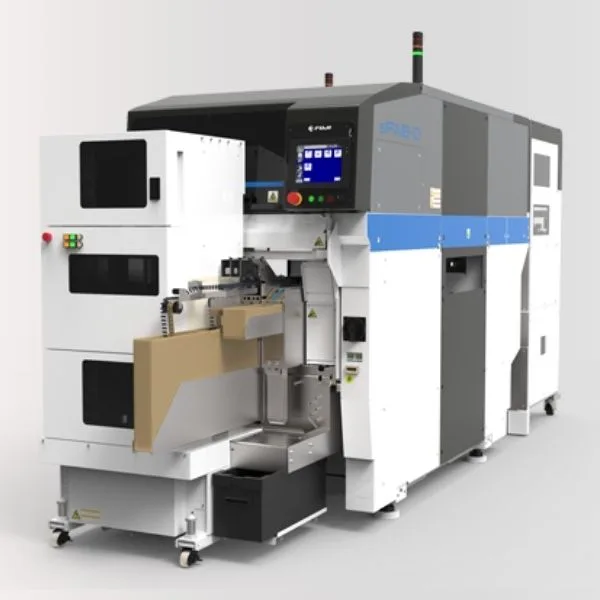
sFAB-D
Odd-form parts are usually placed by hand, because there are limitations on which packaging can be used and on the part sizes that SMT machines can process. Manual placement, however, causes variation in quality and operating time. The
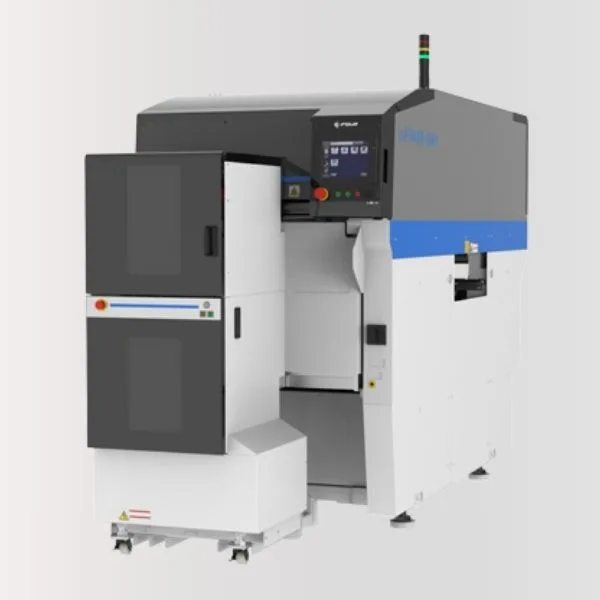
sFAB-SH
sFAB-D machines have continued to evolve since their launch. With broad support for component packaging, they can insert parts into a wide variety of boards. As an entry model, the sFAB-SH has now been added to the same product series. Building on the advanced versatility, scalability and productivity of the sFAB-D machines,